Android Studio received massive attention from the developers since it was announced in 2013.
The first stable version was eventually released in the following year with some changes.
Features and Highlights
Building a user interface for an program isnt always easy.
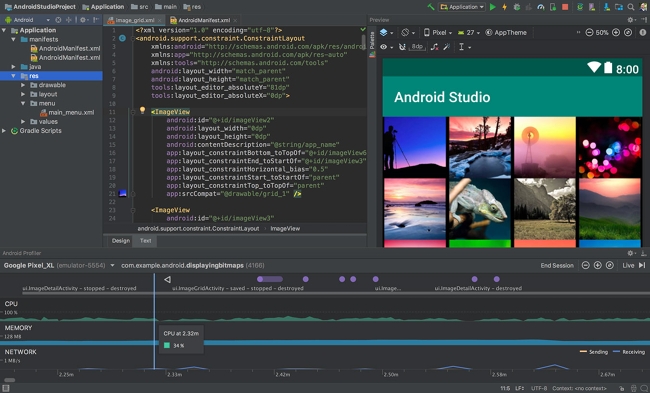
The Design Mode is made up of various parts.
One of them is Palette that contains the view components.
These components are put into categories so that you’re able to find any of them easily.

The other parts are Component Tree, Toolbar, Zoom and pan controls, View Mode, and Attributes.
Android Studio has another powerful feature.
It is an emulator designed to test your Android apps.
Every time you do this in the Text tab, Android Studio will generate some codes.
Aside from CPU, the other data include the usage of battery, memory, and internet.
Android Profiler will keep collecting data when you run it, and will end after you end the session.
Android Profiler makes it possible to analyze resource usage for different scenarios.
It is done by saving multiple sessions and then compare them to each other.
4 GB is the recommended requirement.
Additionally, your box must be powered by a 4 GB RAM.
