Much has been written and discussed regarding the issue and Microsoft has always tried to justify.
Now, it seems that Apple is also following the same path as Microsoft does.
Much has been written and discussed regarding the issue and Microsoft has always tried to justify.
Not only that, Apple is also being smart about the download.
If your gear is low on space, macOS Sierra will not download, The Loop reports.
How to disable this option?

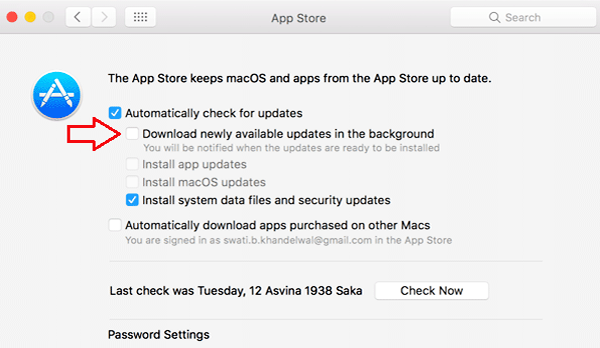
To disable, you only need to perform two simple steps.
Start by accessing System Preferences and look for the option App Store.
Then look for the option Download new updates in the background and withdraw the option which should be selected.


