BatteryCare is not merely a monitor tool that reports the current capacity of your laptop battery in real time.
The temperature reading, for example.
Features and Highlights
BatteryCare is immediately minimized to the tray area as soon as it runs.
If you right-hit the icon, its context menu will show up, revealing a number of options.
The Power Plan lets you switch between power profiles without having to open Windows built-in power management options.
But if you really need to open it, use Power configs in the context menu as a shortcut.

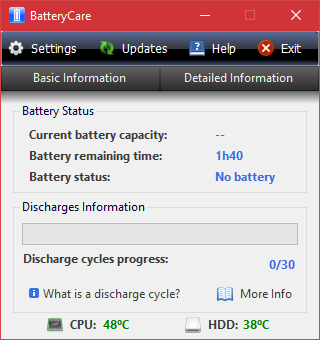
When your battery has reached 30 charge cycles, BatteryCare alerts you to perform a calibration.
It will also notify you when the battery is fully charged.
Similarly useful is the manual and automatic switching between the power plans.
The automatic switching is based on the power source.
It will, for example, switch to the power saver plan when your laptop runs on battery.
This feature is disabled by default so you’re gonna wanna set it up first.
