Classic Shell reverts the Start menu appearance back to how it used to be.
Simpler and more efficient.
It is for users who care a lot more about how to get the job done more quickly.
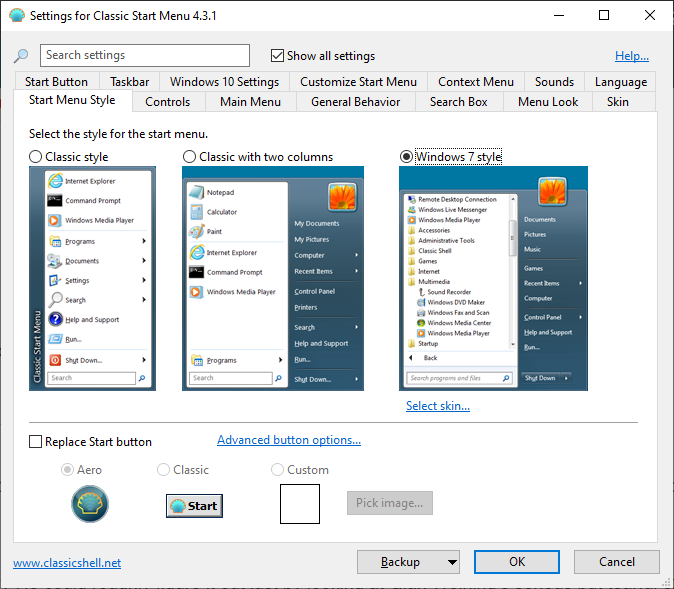
Classic Shell offers three built-in styles to replace the look of Start menu.
A two columns style, a Windows 7 style, and the simplest of all, the Classic style.
The last mentioned only has one white column without the user profiles icon.

There are also two button styles to replace the standard Start button.
Any style you choose will be applied immediately without having to press the OK button.
Classic Shell supports skinning.
Even if the original Start menu is replaced, it is not disabled.
The same goes for the Windows logo key.
When you press the key, the classic Start menu shows up.
When you press the key together with the Shift key, it triggers the original Start menu.
Each item in the Start menu can be customized.
For example, choose whether you want to display the Documents folder as a link or a menu.
There are many other things that you’re able to customize too.
The optional search box within the Start menu supports auto complete and can track the frequency of use.
It is located at the bottom of the menu.
