doPDF is an interesting alternative to convert document to PDF.
It is a free PDF creator for Windows that acts as a virtual printer.
It supports all kinds of documents as long as they are printable.
Features and Highlights
doPDF sends anonymous usage statistics by default.
The check box is located at the bottom right corner at the time of this writing.
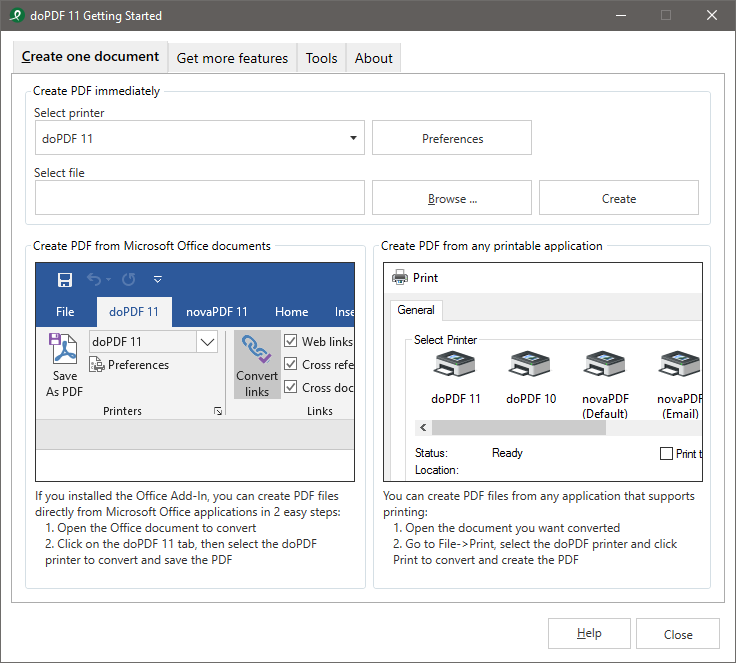
There are two ways you’ve got the option to create PDF files with doPDF.

First, by using the Print command in every program that has it.
Second, by using its conversion wizard.
The wizard is accessible from the Start menu.
It allows converting only one file to PDF at a time.
Unfortunately, such an option is not available in doPDF.
No option to create your own preset, though.
When doPDF is running, its tray icon is visible.
It shows latest news and notifications.
Furthermore, it cannot password protect, merge, encrypt, and sign PDF files.
It cannot insert text and image watermarks into PDF files too.
Most of these features are not even available in doPDF Premium.
Only novaPDF Pro has the complete features.
In terms of free features, doPDF has less than PDF Creator developed by pdfforge.
