MicrosoftWindowsWindows 11
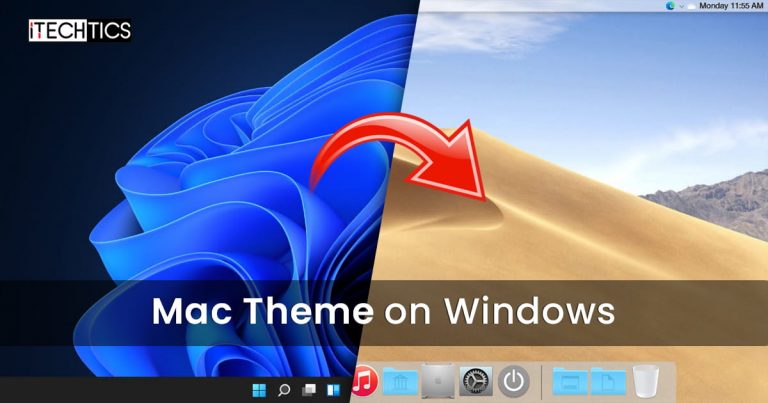
Mac themes are popular with users because they are beautiful, simplistic and functional.
Both Windows 11 and Windows 10 can be customized with these themes.
This will help you determine the right theme/skin pack for Windows in the next section of this post.
The program of custom themes and skin packs can adversely affect the performance of the system.
Therefore, it is recommended that you only use these themes if performance is not your primary concern.
It is completely free to use.

Once downloaded, initiate the file to extract it.
The setup will then be extracted into the same folder.
launch the extracted setup file and follow through with the installation wizard as instructed.

When finished, the theme will be installed.
The downloaded contents (compressed) are provided separately.
Meaning, mouse cursors are given separately, themes individually, etc.

To download Big Sur 2, visit thisDevianArt page.
Note that you will need to register on the website (for free) to download this theme.
MacOS Catalina is the same as the MacOS Monterey Skinpack, which we have discussed earlier.
It shifts the Taskbar to the top, realigns the start menu, and changes the mouse cursor/pointer.
you’re free to download MacOS Catalina (Lite) fromthis link.
Not only that, but it also supports a few other features as the real MacOS does!
This includes running widgets, grouping different windows in the task bar of the same pop in, etc.
To download the MacOS Mojave (Lite) theme, visitthis page.
It also brings MacOS default applications to the Windows environment, such as Safari, Finder, etc.
It gives the fill Mac experience while providing the functionality of a Windows machine.
Note that this theme pack is relatively larger than the other themes we have discussed so far.
Therefore, it may impact your systems performance more than them.
Also, the installation of this pack requires your system to reboot.
You will be asked to reboot your machine.
Once it reboots, execute the setup file again and follow through with the installation wizard.
Once installed, the computer will need to be rebooted again.
You will then be able to see the full capability of this pack.
Clickhereto download MacOS Transformation Pack for Windows.
However, the UX Pack provides a more Yosemite experience.
Furthermore, it also provides themes, logon screens, and iOS 8 pictures.
The contents of the downloaded (compressed) file must be extracted using a password before the installation process.
You may then plant the MacOS UX Pack.
However, it doesnotrequire you to reboot your rig.
Clickhereto download MacOS UX Pack for Windows.
The internet is full of different themes for you to choose from.
However, we have only highlighted the ones we thought you should check out for yourself.
0
Get weekly insights, tips and exclusive content delivered straight to your inbox.
Talk to us straight and get your questions answered right away
source: www.itechtics.com
