A good software should never go online without users permission.
Many even attempt to do so when you launch them for the first time.
Firewall App Blocker takes the hassle out of Windows Firewall to block and unblock connections.
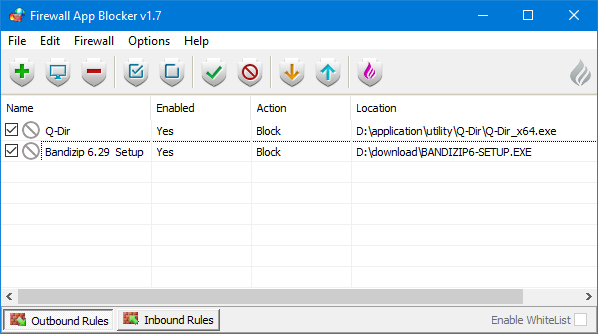
Windows Firewall is a security layer that can filter the connections but the procedure isnt so straightforward.
On the other hand, Firewall App Blocker offers the same functionality with the least amount of hassle.
It provides four methods to blacklist a software.

The second method is by dragging and dropping the software into the main interface of Firewall App Blocker.
The fourth method to block a software is by clicking the Add Process button.
It opens another window where you’re free to select processes to be added into the blacklist.
Things work differently when you turn on the WhiteList mode.
Firewall App Blocker prevents everything from accessing data pipe interfaces.
Only the software that you add into the list are permitted.
If this happens, tap the Allow Local Subnet located in the File menu to deal with the issue.
Unfortunately, not all software can be blacklisted easily.
Microsoft Edge, for instance.
It is easier to unblock a software.
The reason is because the software only acts as a more user-friendly interface to Windows Firewall.
