FlashGet speeds up your download by using what is called as Multi-Server Hyper-Threading Transportation technique.
It organizes your download in categories.
FlashGet is a free software supported by ads.
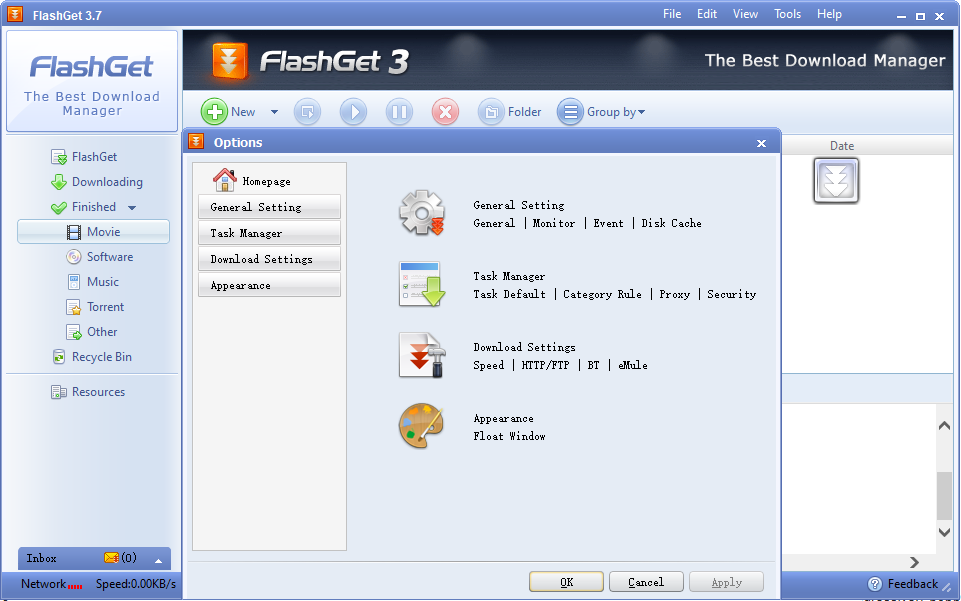
There is this so-called Resource Center which is always visible in its main interface.
It shows the content of a web page and cannot be hidden.
Features and Highlights
There are three ways to download files with FlashGet.

The first option is by relying on its clipboard monitor.
The third option is by dragging and dropping the URL of the file to FlashGets floating icon.
This icon appears automatically when FlashGet is launched.
The download speed is set to maximum until you limit it.
The amount of memory used as disk cache for downloading files can be changed manually.
By default FlashGet uses 8 MB.
When it comes to the main interface, there nothing seems wrong about it.
The skin of the interface can be changed.
Recommended Apps:
FlashGet Free Download for Windows
FlashGet doesnt support downloading files from https.
This is one of the major reasons why it is not recommended.
There are better alternatives out there that you could rely more to download files, especially the large ones.
Some of them are free, the others are not.
One of the free alternatives is Ant Download Manager.
