This feature can be used only after you grab synced your Chrome password.
Just follow the below instructions to know about the method.
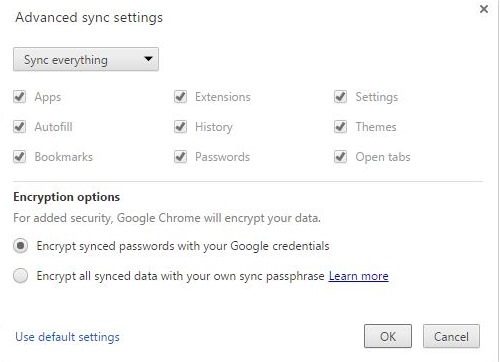
2.Select Encrypt synced passwords with your google credentials from the following options in the panel and then clickok.
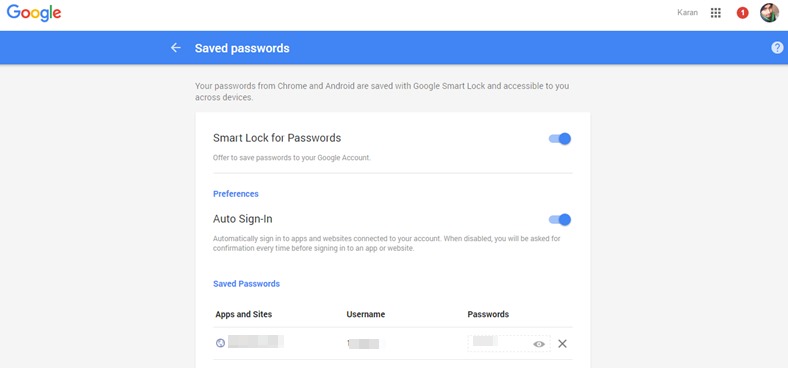
3.Now go tohttp://passwords.google.com/and then sign in with your credentials.
You have created the account for this in first step only hence use that account only.
Once you are logged in you will see all your passwords listed.
How to Hide Apps in Realme Phones
Google Chrome Not Saving Password?
8 Ways to Fix it
How To Fix Mobile Hotspot Connected but No Internet on Android



