So follow up the below guide to proceed.
Here after clicking the search bar you will see thedeleteoption at the left side of the bar.
You has to click that option.

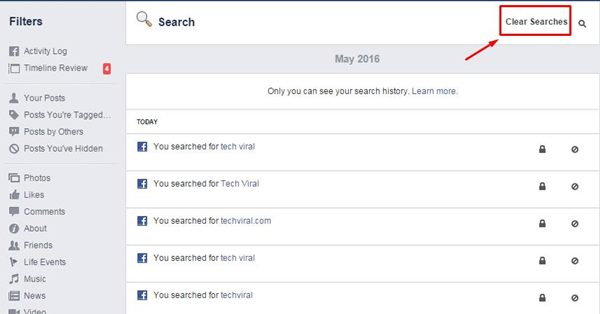
2.You will then see the Search History page on your screen after clicking thedeleteicon.
3.SelectClear Searches optionfrom there and thats it.
all your search history will be removed/deleted.
Then after that tap on the Search bar in the Facebook android app.
You will now see all the recent searches in the screen.
There will be aEdit optionavailable on theright hand sideof the screen.
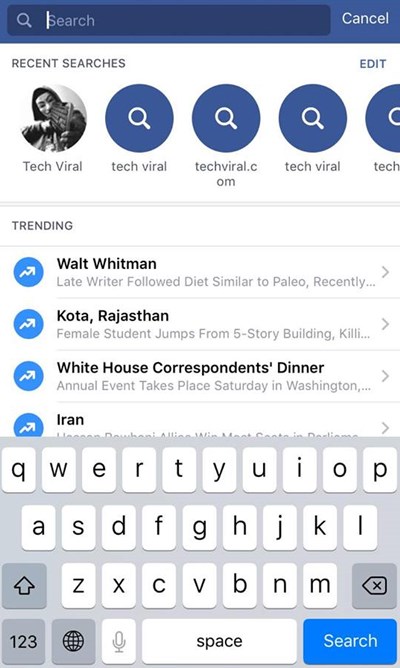
Select that option from there.
2.After the first step you will now see the History of all your searches on your screen.
For clearing all Facebook searches just grab the Clear Searches button inActivity Logand then confirm it.
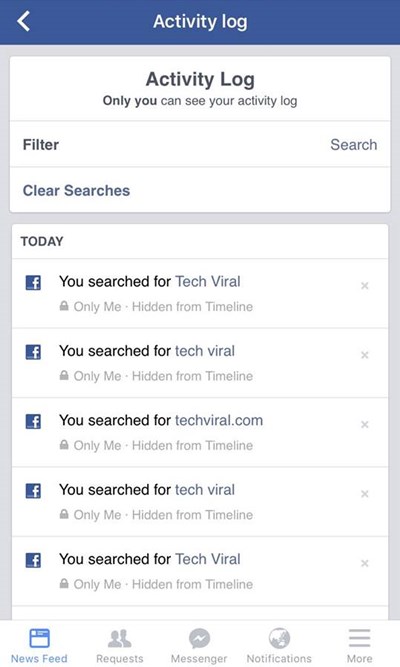
all your Facebook search history will be removed/deleted.
These were the simplest steps that you might make a run at clear up the Facebook search history.
So go and try this out.



