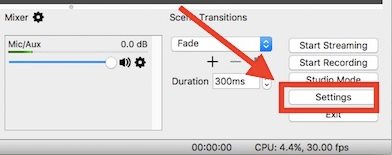
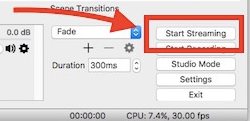
So have a look on complete guide discussed below to proceed.
Just go and read the article to know about it.
So follow the below steps to proceed.

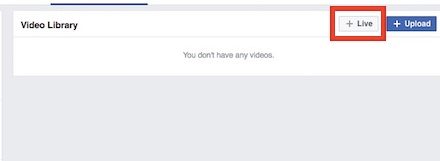
- opt for Videos option from the sidebar that appears after you have applied the above step.
Next to that choose the button saying Live option and thereafter proceed for the further steps.
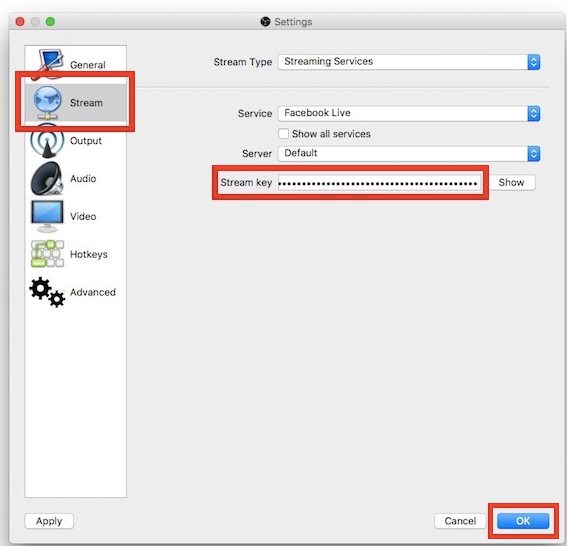
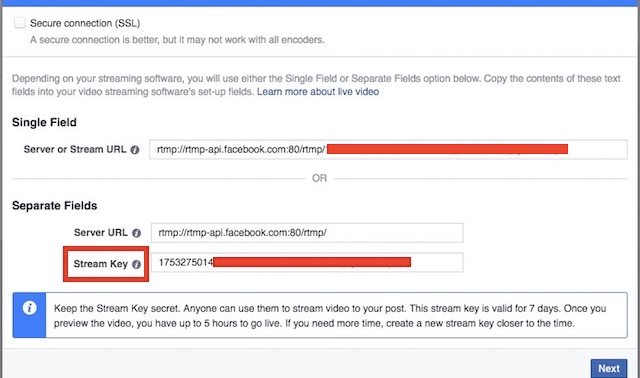
Keep in mind that you correctly copy that key because this will be required while using the OBS Studio.
After copying the Key press on the Next button.
Select Facebook Live option under the Service tab and then hit the OK button.
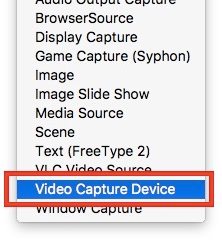
To do that just punch the + icon under the Sources box inside the software.
The method is also not very complex and any of you could easily apply it just within minutes.
How to Hide Apps in Realme Phones
Google Chrome Not Saving Password?
8 Ways to Fix it
How To Fix Mobile Hotspot Connected but No Internet on Android