Welcome back, Today we will share some recovery trick for Windows 7.
So Insert your CD Disk which you have created right Now.
Suddenly you will see a message Press any Key to Boot from CD or DVD.
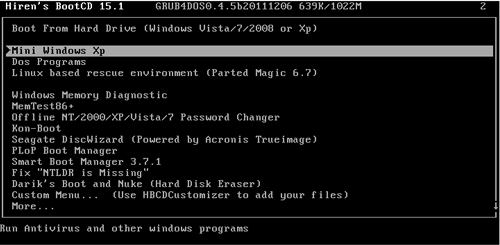
5.Now you will be once prompt fromHirens Boot CDSo go for the Mini Windows XPandHit Enter.
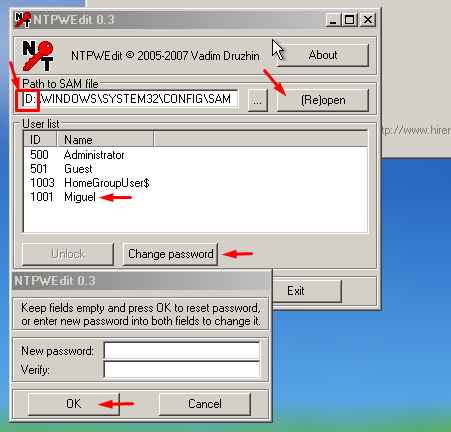
11.Then After selecting your Drive click onRe-openand you will see the Users just like the image given above.
Or If you Cant see your Users then Change your Drive Letter.
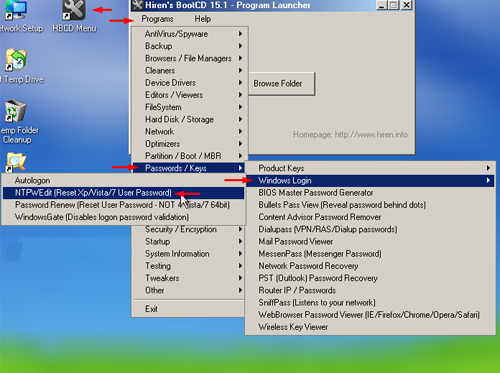
Provide Your Comments Below If you Have Any Problems.
8 Ways to fix it