And you have to search for each and every app to get it download on your unit.
And sometime you dont know the names of all the apps that you were having in your android.
So have a look on complete guide discussed below to proceed.
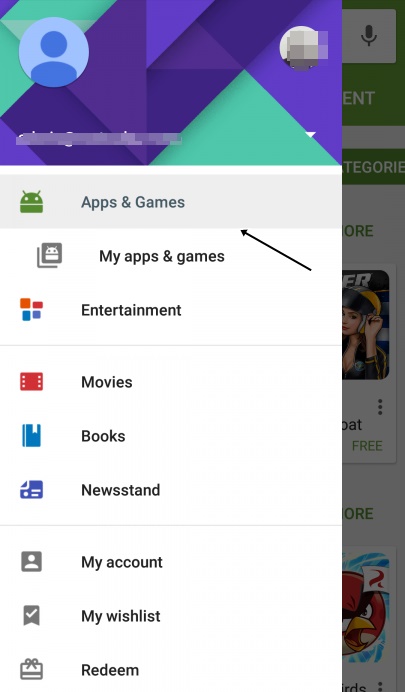
So follow up the steps below to proceed.
Now in Google Play store swipe from left to right and from the list selectMy Apps & Games.
Now you will be under installed apps section simply swipe towards All.
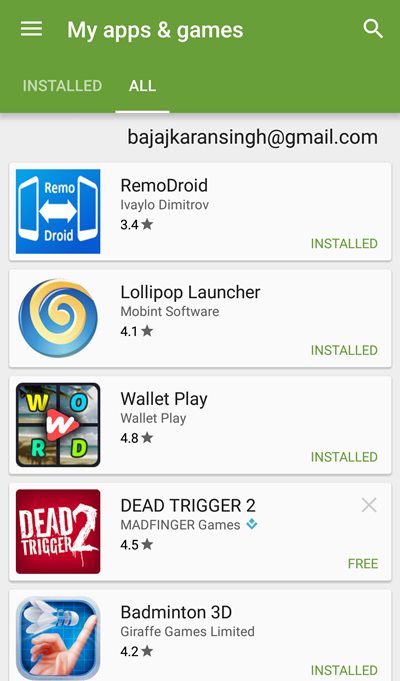
Thats it you are done, now reinstall the uninstalled apps at a single list.
8 Ways to Fix it
How To Fix Mobile Hotspot Connected but No Internet on Android



