The motherboard can be installed in a matter of minutes and slid right back into the chassis.
This means that I would need to remove the board to change heatsinks / backplates.
I’ve actually seen very few access panels line up properly with most boards perhaps they should be larger.
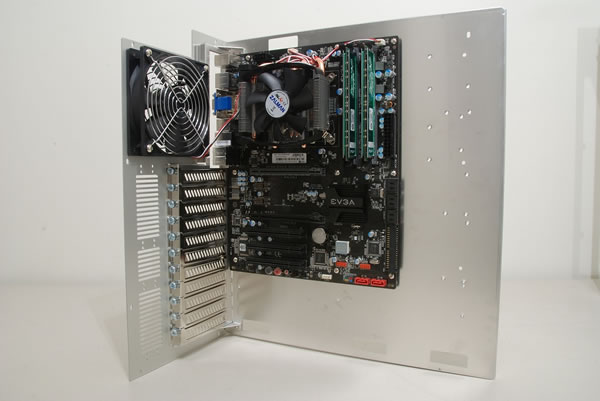
Since this is an H55 board, I will be using the integrated Intel HD graphics on the CPU.
This unfortunately means I won’t be able to test out the VGA card pillar.
I opted to roll out the SSD above the power supply on the horizontal divider.
To place a drive here, you oughta use four spaced thumbscrews and four rubber grommet.
Slide a grommet over the screw, then put the thumbscrew into the bottom of the drive.
This method worked great and helped eliminate cable clutter.
These are all easily removable as they use a combination of thumbscrews and a few Phillips head screws.
This left the two front 140mm intake fans unrestricted and should result in better overall system cooling.
Cable management inside the PC-V2120 was so-so.
I opted to wire these up to the built-in fan controller in the front of the case.
The fan controller sits above the top 5.25" drive bay and can be a bit difficult to access.
The module can control up to four fans on the single adjustable dial, perfect for this installation.
Even the front intake fans wouldn’t reach.
Lian Li should include enough 3-pin extension cables to actually make the controller useful.
Fortunately, I had some spare extension cables on hand and was able to get everything wired up properly.
For this install, I plugged them into the StarTech PCIe expansion card.
Lian Li includes a PCI bracket cover for this precise task.
Overall, the installation went smoothly.
I didn’t manage to draw blood, but I did slice into my skin on one occasion.
