There are four editions of Macrorit Disk Scanner: Free, Pro, Server, and Unlimited.
The paid version has these features, including the support for 32 terabyte hard disk.
Macrorit Disk Scanner has a simple interface that casual users will likely to find it easy to understand.
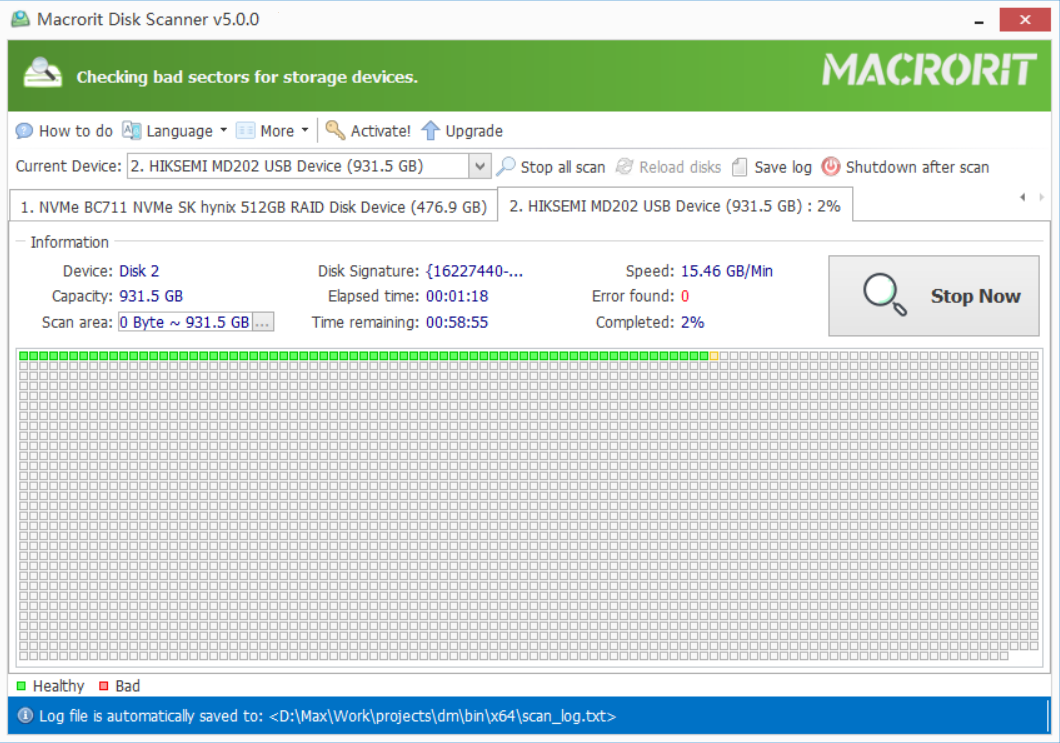
Located near the top is a drop-down box that reveals all the hard drives plugged into your system.
you could see the name and total capacity for each disk.
Below the drop-down box and buttons is where you will be able to watch the scanning process.

If you have more than one hard drive, each will be displayed in a separate tab.
Macrorit Disk Scanner can scan all disks at once or scan a single disk at a time.
To do the former, smack the Scan All Disks button.
Also, dont forget to back up the important data before scanning the disk.
The other downside that is probably going to be a deal breaker for some users is the limited speed.
Scanning disk for errors in full speed takes a lot of time, let alone with a limited speed.
