It is more convenient to store ISO files in a hard drive than keeping a collection of DVDs.
Just throw in a few letters and you will immediately find the ISO file that youre looking for.
To create an ISO file, use MagicISO.
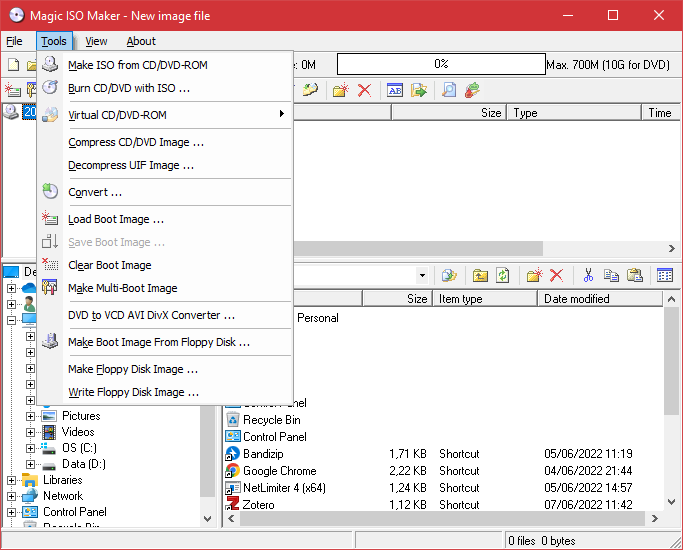
MagicISO offers an easy way to create ISO files.
Extracting ISO files is even easier.
In addition, it is able to convert the supported disc images to ISO, BIN, or NRG.

MagicISO also integrates itself with the shell extension.
There are many software that can create single bootable disc, but not multi bootable disc.
MagicISO can create both.
To continue using MagicISO with the limitation, it’s possible for you to nudge the Try It button.
MagicISO can compress disc image files.
How long it compress a disc image file depends on, among other things, the file size.
It is much less of a hassle.
