Instead of solely relying on a web app to download MEGA files, use MegaDownloader.
It is an unofficial utility to download files from the cloud storage.
Lightweight and straightforward, supports parallel download with multiple connections per file, and free of charge without ads.

MegaDownloader can automatically extract archives too.
Zip, 7z, and RAR are the archive formats it supports.
And once you confirm it, you’re able to immediately configure it.
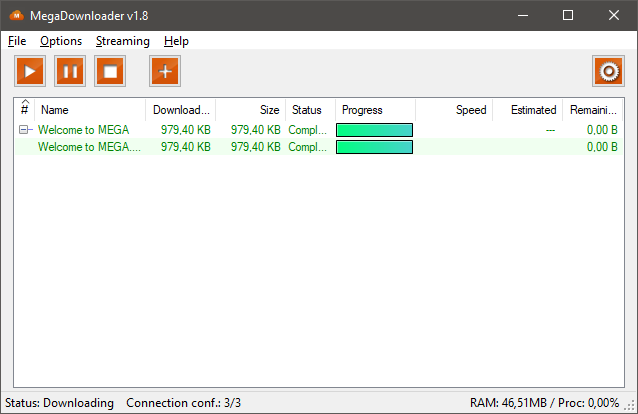
MegaDownloader limits the parallel download up to 3 files per session.
Each download uses 3 connections.
These are the default values that you’re free to adjust to your liking.

The clipboard sniffer makes it easier to add MEGA links to the download list.
Once a MEGA link is copied, MegaDownloader opens immediately with the link pasted inside its queue list.
After you specify the download location and hit the Add Links button, the download will start.
The progress of each download is displayed in the main window.
All files are downloaded in full speed, unless you choose to limit the download speed.
If there is a file you want to prioritize, right-tap on it and select Increase Priority.
For the least important file, right-hit it and select Decrease Priority to allocate more bandwidth for other files.
MegaDownloader can read MEGA links that are hidden inside a JPEG image.
For stronger protection, there is an option to protect the links with a password.
The Steganography Wizard is used to hide MEGA links inside a JPEG image.
In the wizard, there are three steps you have to follow.
Enter the links, select an input image and an output image, and optionally set a password.
The quality of the generated image is reduced to 85% by default.
However, for those who simply need to download files, MegaDownloader is a better choice.
As long as the files are made public, MegaDownloader can download them without requiring MEGA credential data.
It is also easier to set up and loads faster than the official MEGA software.
