It has been meticulously designed to allow users to work smarter and more productive.
Nitro Pro adopts Microsoft Office ribbon style and integrates with cloud.
It is obvious that the developer puts a lot of efforts in designing the interface.
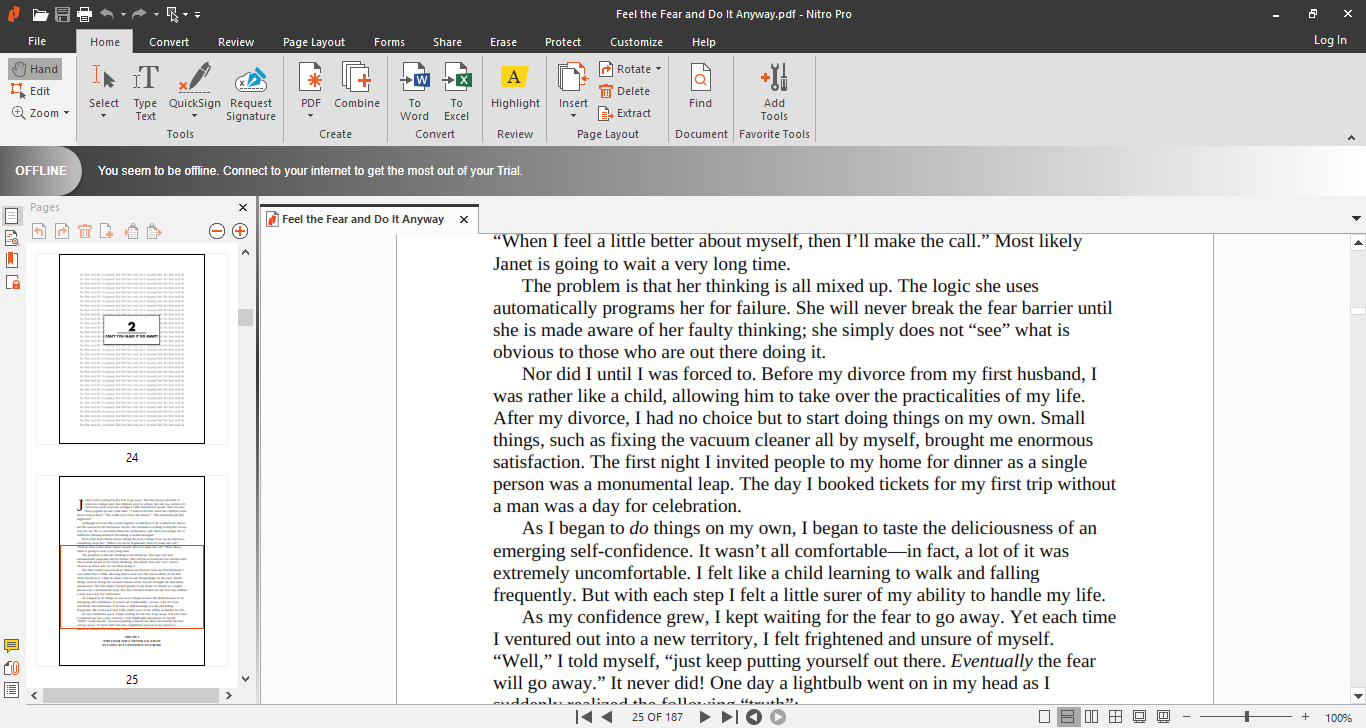
Nitro Pro provides an array of intuitive editing tools to unleash your creativity in creating a PDF file.
Add a logo, watermark, page numbers, hyperlinks, and Bates Numbers.
Insert your Word documents as attachments.

Its OCR functionality effectively turn your scans into PDF files that you’re able to edit and search.
Merging files can also increase productivity since the files become easier to manage.
Extract a few pages out of a file and merge them into another file if necessary.
The security options in Nitro Pro protects your sensitive information.
It encrypts and locks PDF documents with passwords.
Both AES-256 and certificate security are available as options in securing your PDF files.
Choose whichever one most suitable for your specific needs.
For example, users can read but cannot print the files or cannot modify any page.
There are alternatives that do not cost you anything to complete such tasks.
