OBS Studio is the perfect software to show off the godly talent that you posses in playing games.
If that doesnt satisfy you, other major streaming services are also supported.
Streaming to multiple platforms at once is not impossible either.
The wizard, which is named Auto Configuration Wizard, basically asks how you plan to use the software.
Is it for streaming or recording?
The wizard will then optimize the options automatically based on your answer and hardware performance.

The controls can be modified later if necessary.
The wizard appears as soon as you launch OBS Studio, but it is optional.
it’s possible for you to skip it for later.
Any time you need it, pick the Tools menu.
The Tools is a part of the menu bar.
Located at the top, this menu contains some advanced features.
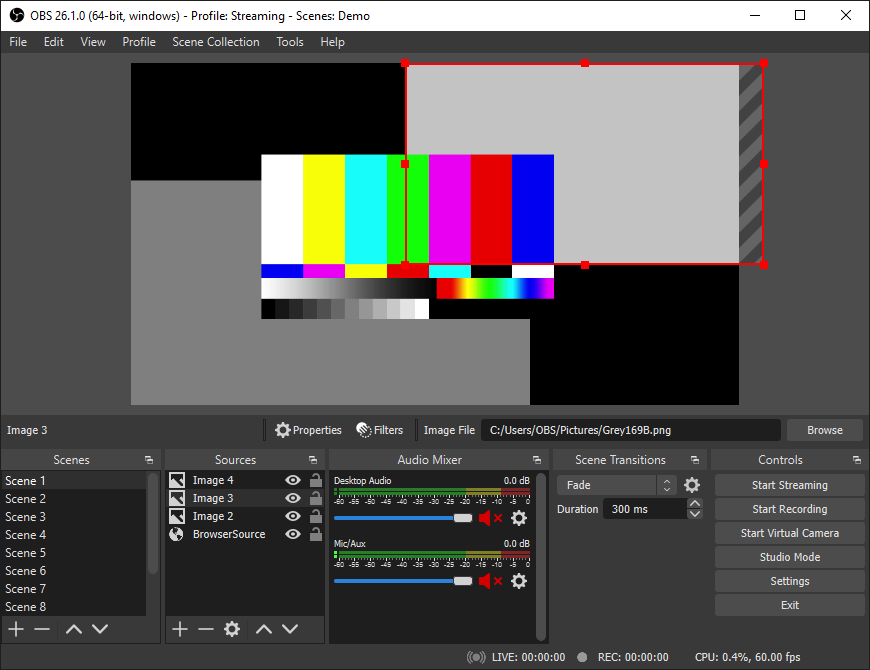
And the bottom area, it is split into five sections.
Among them are the two sections called Scenes and Sources.
While sources go into scenes, scenes are used in your video.
When you are streaming, it’s possible for you to switch between scenes.
Unfortunately, not everyone has the talent to become a musician.
There are even people who are tone deaf.
