It is easy to create animated GIFs with ScreenToGif.
An animated GIF is basically a group of pictures that are put together and played in sequence.
Feel free to choose the file format that you need.
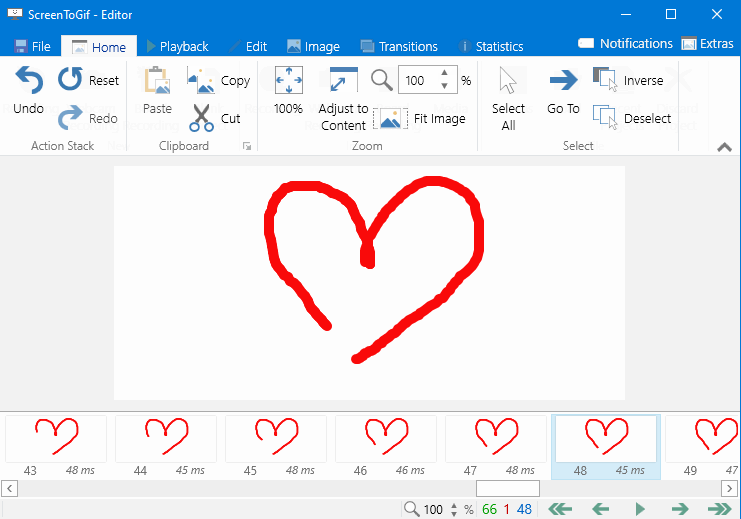
Make some edits if necessary.
Spend as much time as needed to make a useful animated GIF.
If you’re gonna wanna record a wider region, resize the recorder pane.

However, this works only if the target is a window.
A press the record button immediately starts the recording session.
For keyboard enthusiasts, hit F7 or create a custom shortcut key.
The recording keeps running until you press the stop button which in turn will launch the editor.
In the editor window, it’s possible for you to preview the animation as many times as necessary.
The more images an animation contains, the larger the file size would be.
You have to get rid of the unnecessary images if you want to keep the file size down.
The framerate is adjustable which can help further reducing the file size.
The transition between images can also be manipulated by applying the fade or slide effect.
When the editing is finished, the final step is to save it.
Send the animation to your friends afterward or share it in your social media account.
