An accidental hit keyboard is a mistake that happens everywhere.
Even if it doesnt happen too often, it can still be very annoying.
SharpKeys can get rid of the problem permanently.
With SharpKeys, you dont have to kick off the registry to make changes to your keyboard buttons.
This freeware allows you to remove the most annoying buttons so that they wont respond when you press them.
It can also turn them into more useful buttons instead of completely disabling them.

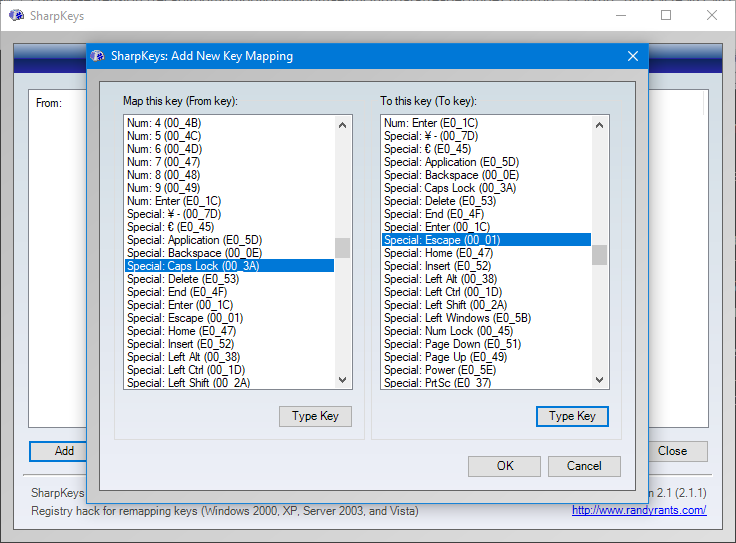
After you tap on the Add button, it shows another window containing two panels.
Each panel has a list of common keyboard buttons that you’re free to customize.
Lets say you want to remap Caps Lock to ESC.
The last button you should probably click is the Write to Registry.
After that you have to bail out or restart the computer for the change to take effect.
It is located at the very top of the list.
Every change you make in SharpKeys can be undone simply by selecting a tweak and smack the Delete button.
Another way to undone a tweak is to edit it.
Again, a reboot or exit is required for the change to happens.
Installation is not required as long as you grab the portable version.
SharpKeys is a very helpful software for users who hit the wrong keyboard buttons too often.
It is also a time saver since it can remap the less useful buttons.
