Different desktop environments offer different styles and options, and unavoidably, with choice often comes confusion.
Its design goals include simplicity, accessibility, and ease of internationalization and localization.
The project was initiated in August 1997 by Miguel de Icaza and Federico Mena as a reaction against KDE.
The dashboard on the left contains your favorite as well as currently active applications.
Pros:The interface is fast; Supports a lot of keyboard shortcuts.
Cons:app search isn’t very smart; Requires time to become proficient.
It started as a Gnome 3.x-based frontend, but soon became a complete desktop environment built on Gnome technologies.
Cinnamon provides a powerful and customizable, yet easy to use desktop layout.
Applications can be added to your panel by right clicking on their icon and choosing ‘Add to panel’.
Pros:Combines the power of Gnome with its in-house features and applications; Easy to navigate.
Mate
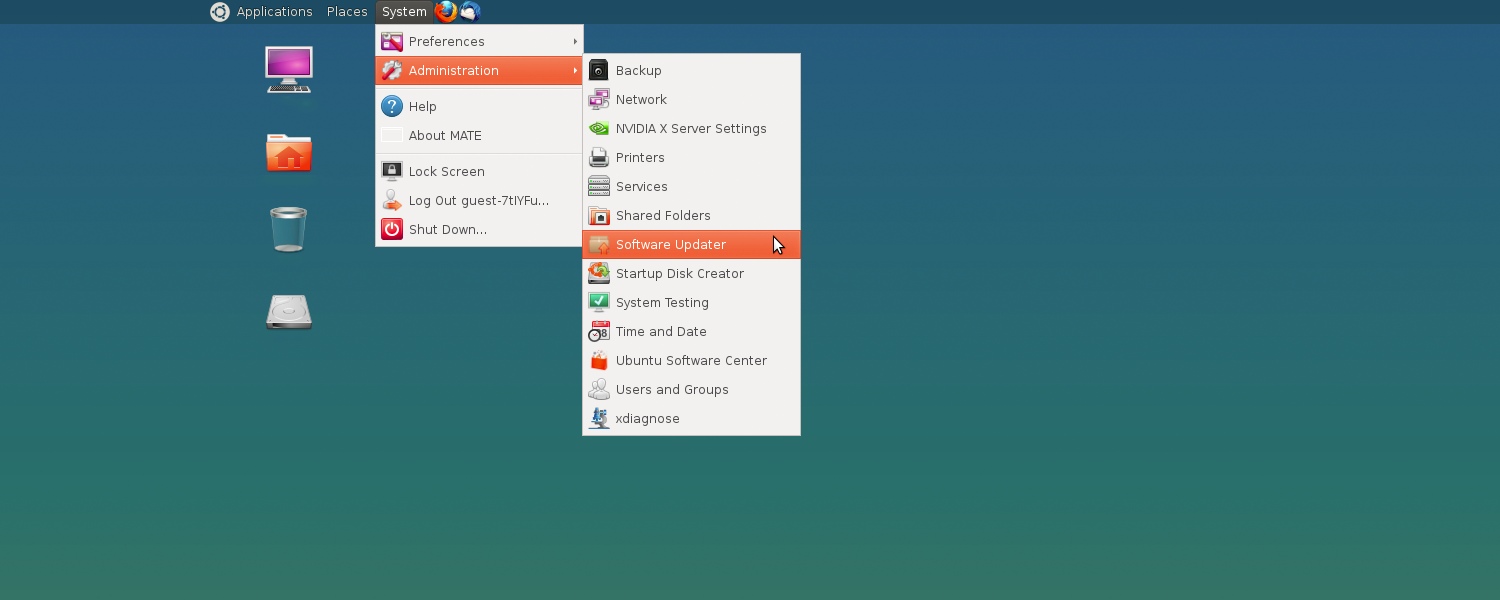
TheMatedesktop environment is a Gnome 2.x fork aimed at providing an intuitive and classic desktop experience.
The project was started by an Argentinean Arch Linux user.
Mate features a basic user interface, offering a two panel layout.
The bottom panel is more of a taskbar but also contains a workspace switcher.
Cons:Not as feature rich as Cinnamon; May seem old-school to some.
This means that it just provides a new interface but uses Gnome 3.x apps and libraries underneath.
Put simply, Unity is to Gnome what explorer.exe is to Windows.
The Dock becomes scrollable if it contains more icons than what your screen can accommodate.
Unity also makes it easy for you to search options buried in the software menus.
There is also an official derivative of Ubuntu, known as Kubuntu, that uses KDE instead of Unity.
KDE was founded in 1996 by Matthias Ettrich, a student at the Eberhard Karls University of Tubingen.
Out of the box, KDE offers a clean user interface with a panel at the bottom.
Pros:Looks pretty nice; Very customizable.
Cons:A bit complex for beginners; Resource heavy.
Pros:Works very well on resource-constrained computers; Even lighter thanXfce, another lightweight Linux desktop environment.
Cons:Customization isn’t easy; Not very visually appealing.
