Snapseed is a photo editor that aims for simplicity.
The sharing options include email, Facebook, Twitter, and Flickr.
You have to nudge the Demo button if you want to continue evaluating the software.

The editing tools in Snapseed are grouped into Basic Adjustments and Creative Adjustments.
The former contains Tune Image, Crop and Straighten, and Details.
If you tap the Tune Image, you will find a number of exposure adjustments.
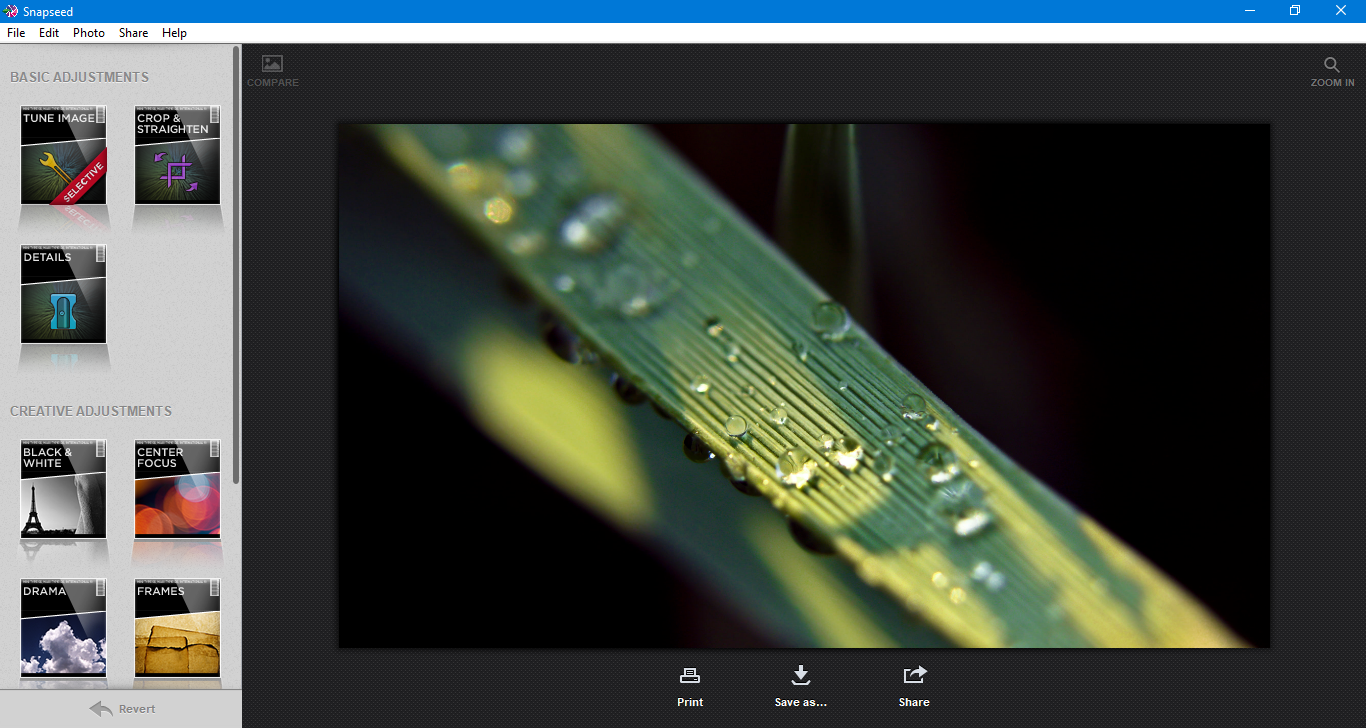
Each adjustment is presented in a thumbnail that shows how the adjustment affects your image.
The manual adjustments are divided into Global Adjust and Selective Adjust.
The Selective Adjust is where you use a control point to adjust only a specific area of the image.

For instance, the left arm of a person.
At the upper right side, there is a zoom button to zoom in/out the photo.
If you make a mistake, there is an undo functionality.
Every time you press Ctrl + Z, it undos a step you have taken previously.
The Control Point, powered by U-Point technology, is especially helpful.
Unfortunately it is only available in the image tuning section.
