It can exclude mouse cursor, make a delayed capture, and send the screenshot to the clipboard.
Features and Highlights
TechSmith Snagit is marketed as a simple but full of features software.
It is true that it has many features, but it is not a simple software.
For a start, the installer itself has a file size of around 300 MB.
And then you will go through some hassle before it’s possible for you to finally use it.
First of all, the installation takes a long time.

And after it is completed, you will be asked to create an account.
Even worse, you cannot skip the questions.
The capture functionality is pretty nice, though.
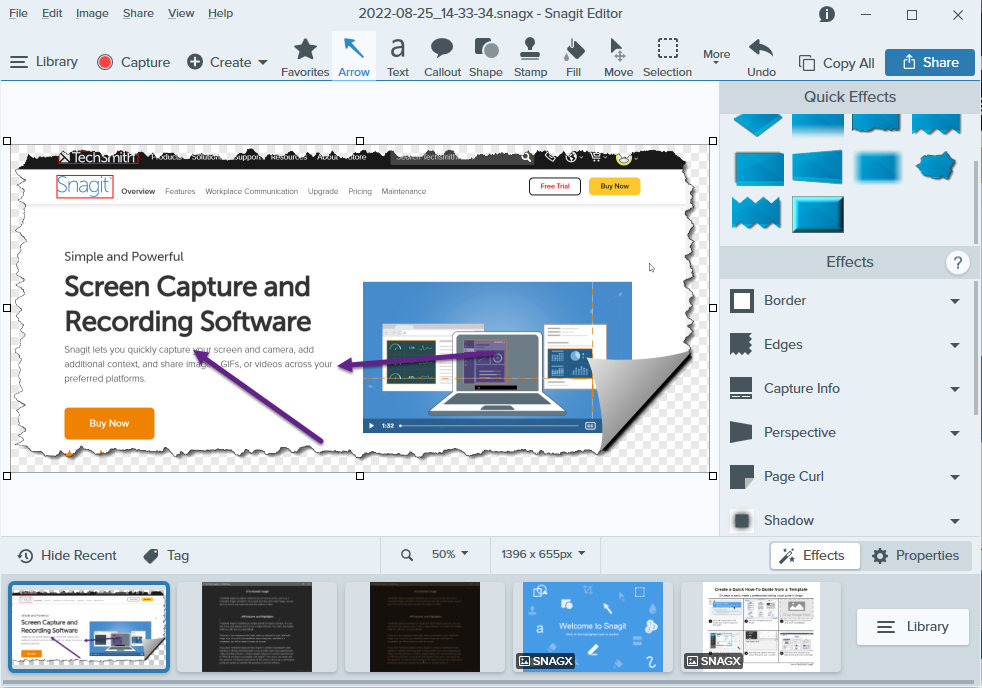
On top of it, TechSmith Snagit can apply an effect automatically to every screenshot.
Aside from the shadow effect, there are torn edges, page curl, perspective, and fade effects.
After it is extracted, you’ve got the option to paste it to a document.
Unfortunately, the vertical scrolling capture failed miserably when we tried to capture a very long Twitter thread.
Youd better off with FastStone Capture instead, which is much more lightweight.
During idle periods, the latter consumes around 0,3 MB memory, while TechSmith Snagit consumes around 120 MB.
