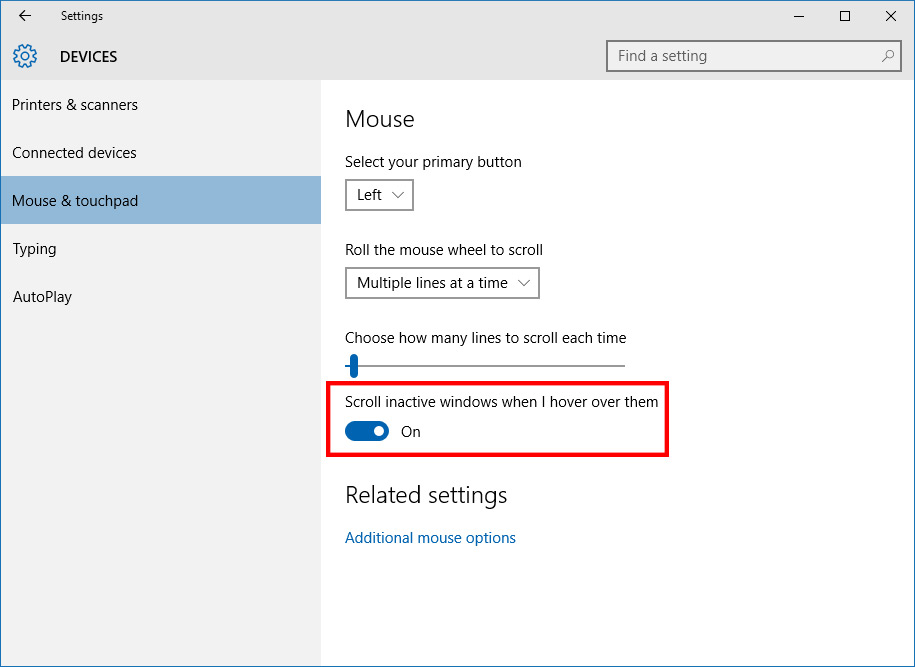
In Windows 10, you have the option to change this behaviour.
Turn it on, leave it on, and you’ll never be frustrated by scrolling again.
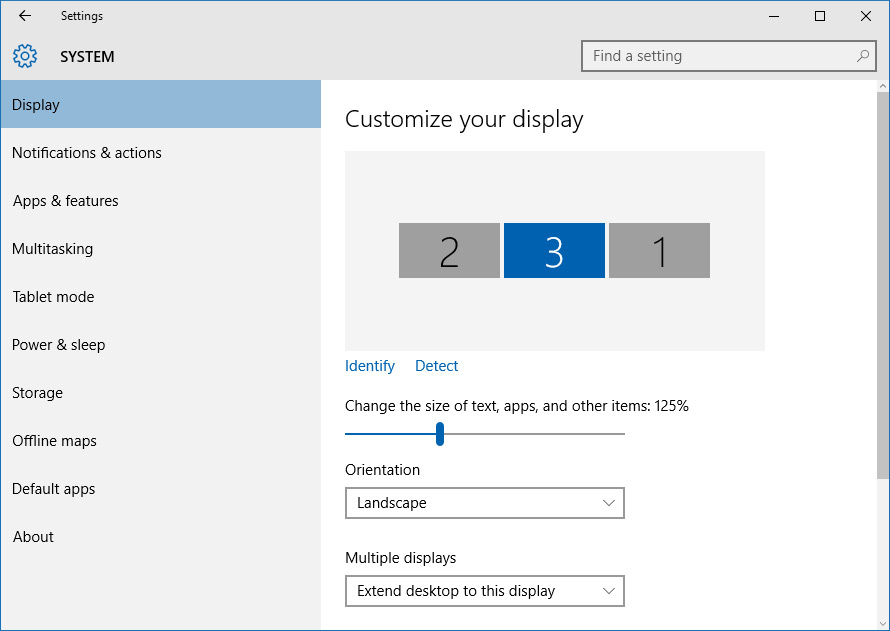
Microsoft has realized this flaw with Windows and have updated their display scaling implementation in Windows 10.

The updated OS allows you to set display scaling levels for each individual monitor attached to your display.
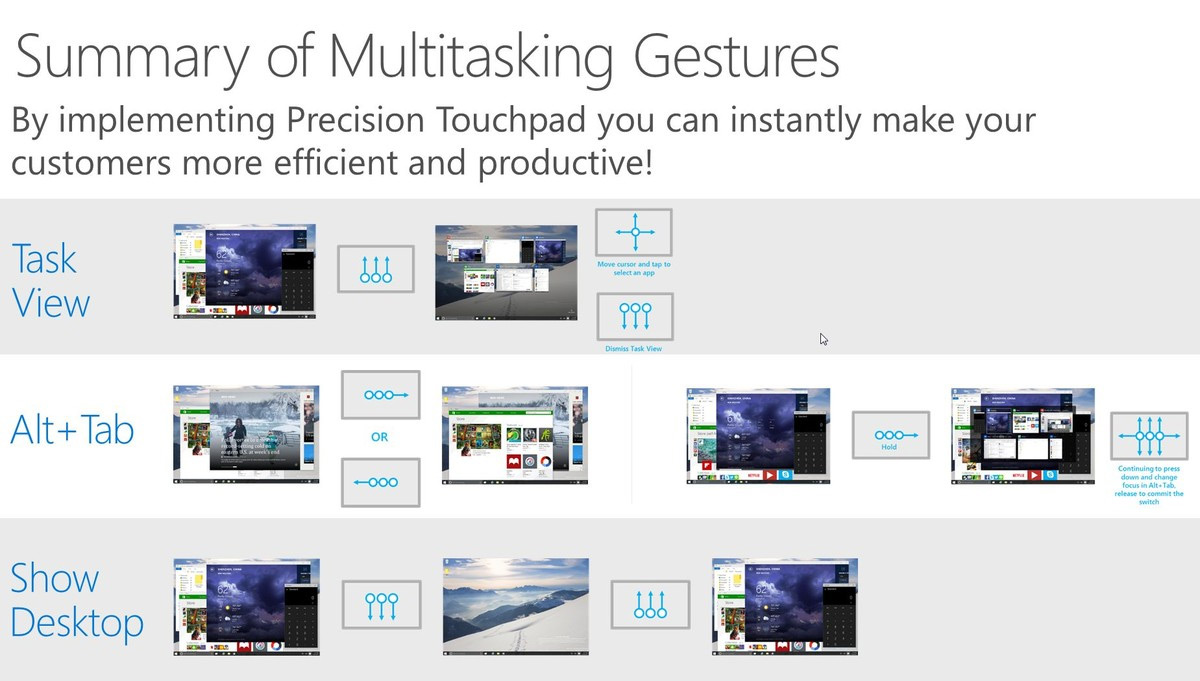
Better support for trackpads, including some new and useful gestures that harness the new functionality of the OS.
But some of the best new gestures are designed for power users and multi-tasking.
Three-finger swiping upwards reveals the Task View, allowing you to easily switch apps or create new desktops.
Three-finger swiping to the left or right activates Alt+Tab, while three-finger swiping downwards shows the desktop.
With all of these gestures at your arsenal, multi-tasking on a laptop suddenly becomes a whole lot easier.
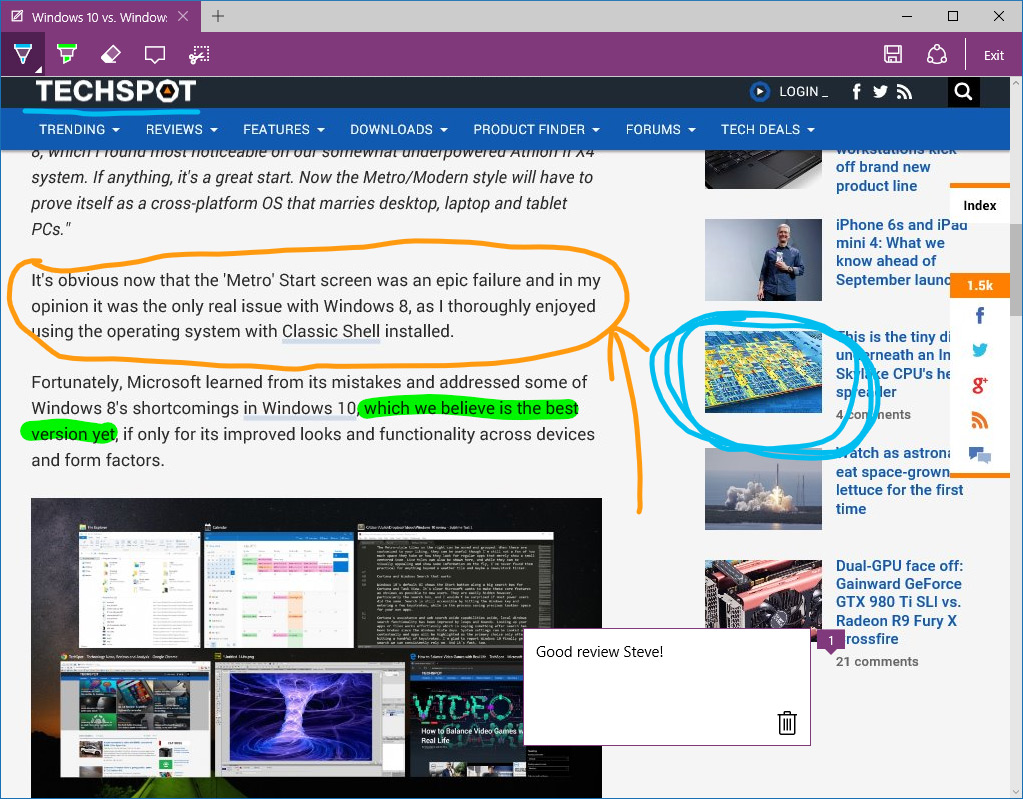
To annotate pages, simply tap on the Web Note button in Edge’s toolbar.
With tight OneDrive integration, saving and collating these notes is very straightforward.
For anyone that frequently researches in their web surfing app, it might be worth checking out Edge.
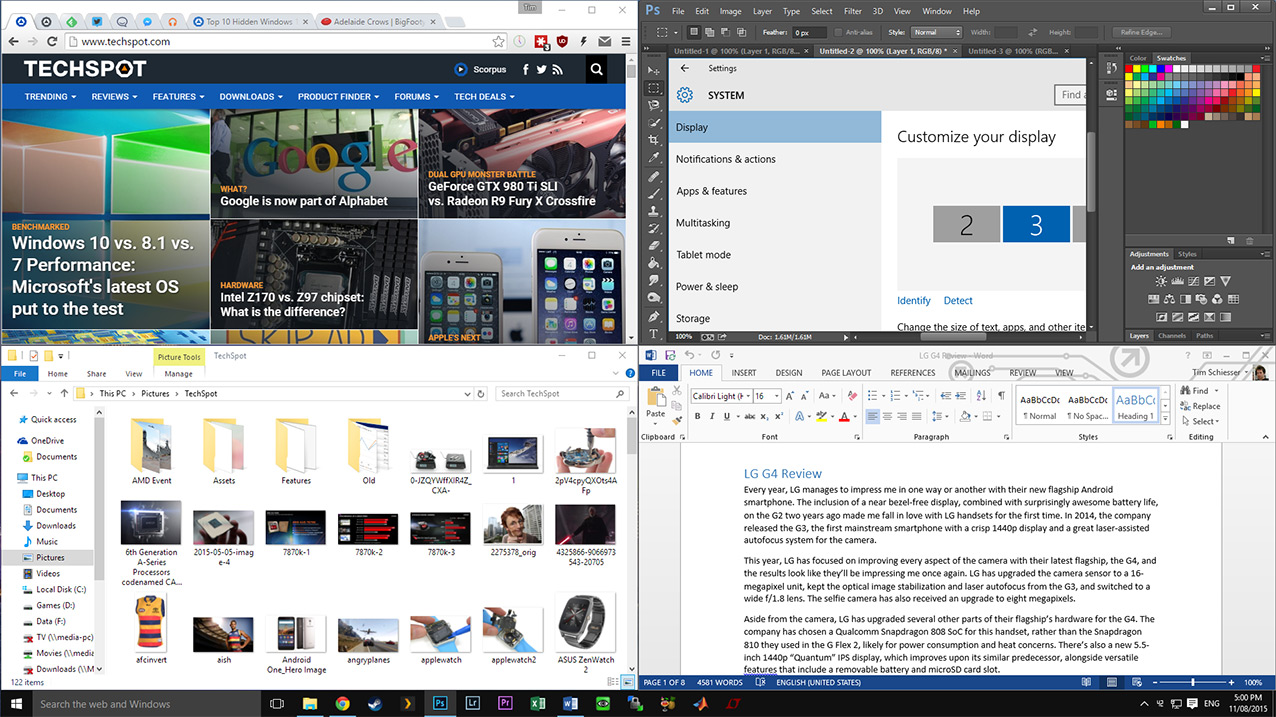
If you have a large 4K monitor, this feature is especially handy.
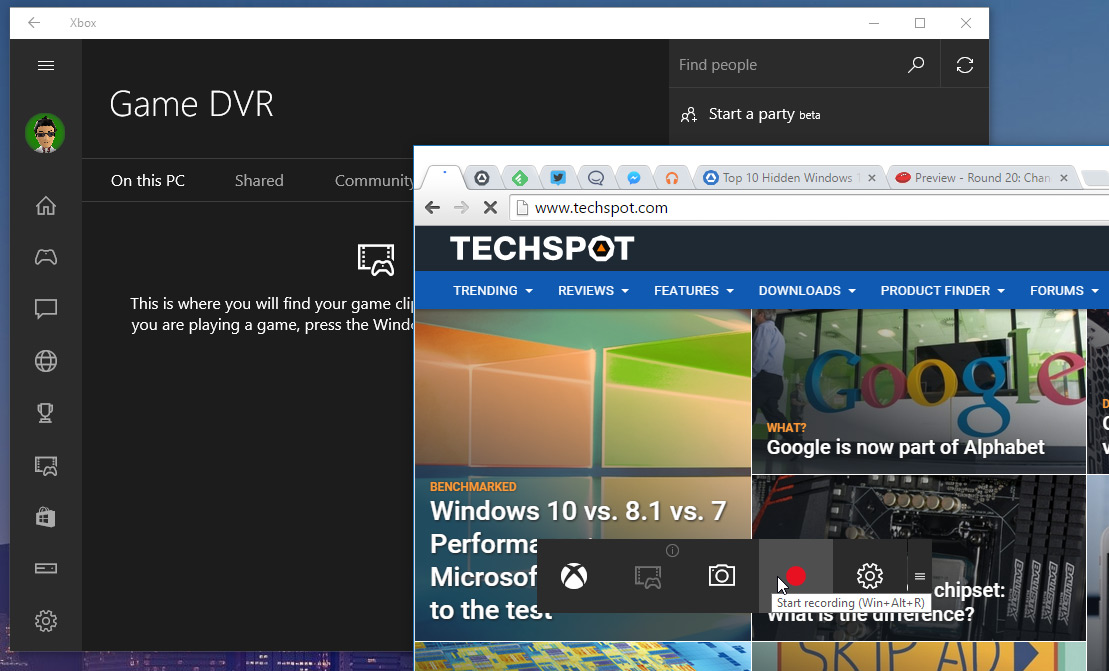
Recordings then appear in the Xbox app under the Game DVR tab.
1DirectX 12
Perhaps the ultimate hidden feature included with Windows 10 is DirectX 12.