What Is Runtime Broker (runtimebroker.exe) Doing On My Computer?
Today we are going to discuss another Windows 10 Process known as Runtime Broker.
So, lets explore more about the runtimebroker.exe on Windows 10.
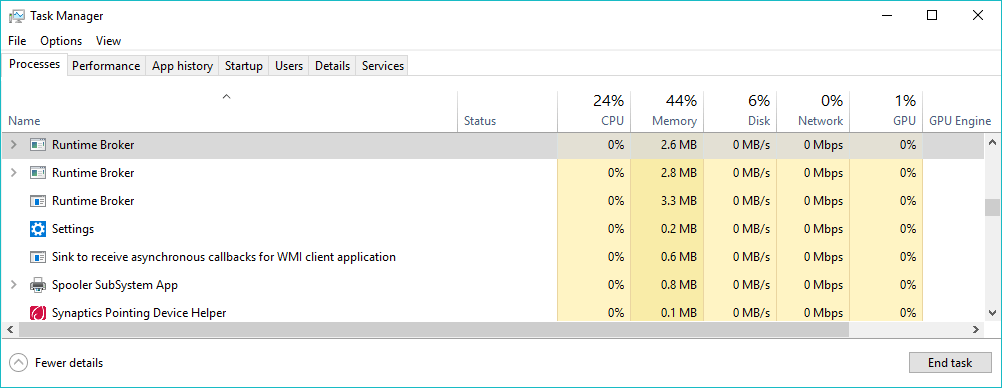
What is Runtime Broker (runtimebroker.exe)?
The process looks after app permissions for UWP apps.
However, sometimes, the memory leak issues could be triggered by one of the many apps it handles.
However, manually disabling the Runtime Broker process would fix the issue permanently.
Users need to find and fix the app which is playing with the process.
Therefind and turn off the Get tips, tricks, and suggestions as you use Windowsradio button.
Stop Background Apps
Well, our Windows system runs lots of apps in the background.
These apps automatically look for updates and during the installation, it triggers the runtime broker process.
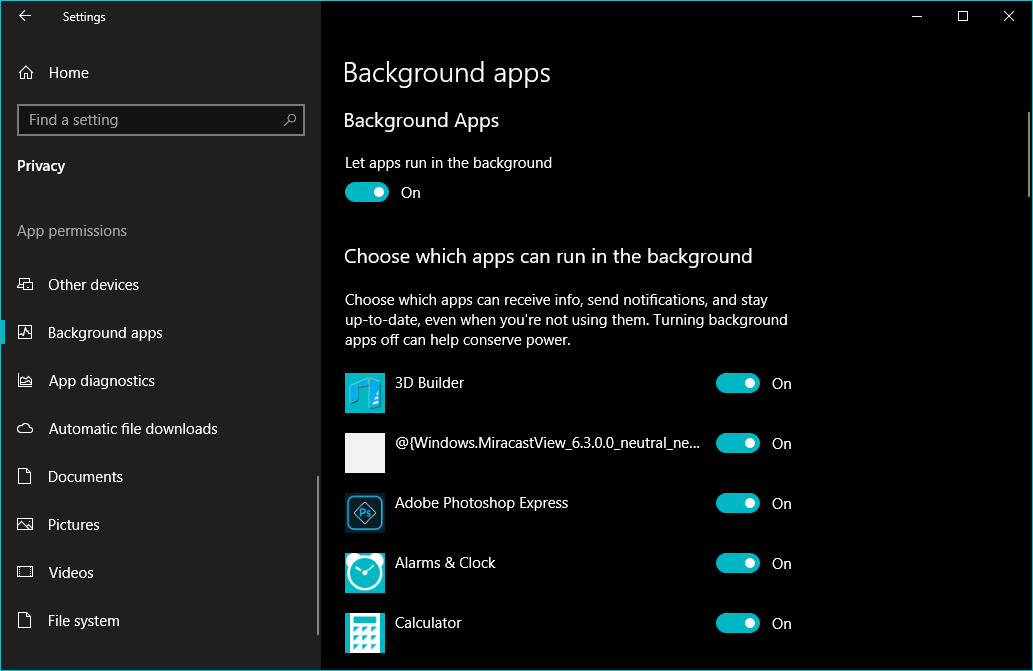
So, users need to deactivate the background apps to see if it helps.

Simply, head to theSettings > Privacy > Background Appsand thenturn off the apps.
For this feature, Windows 10 uses its new peer-to-peer (P2P) delivery update mechanism.
Sometimes, this feature also causes runtime broker high CPU usage issue.

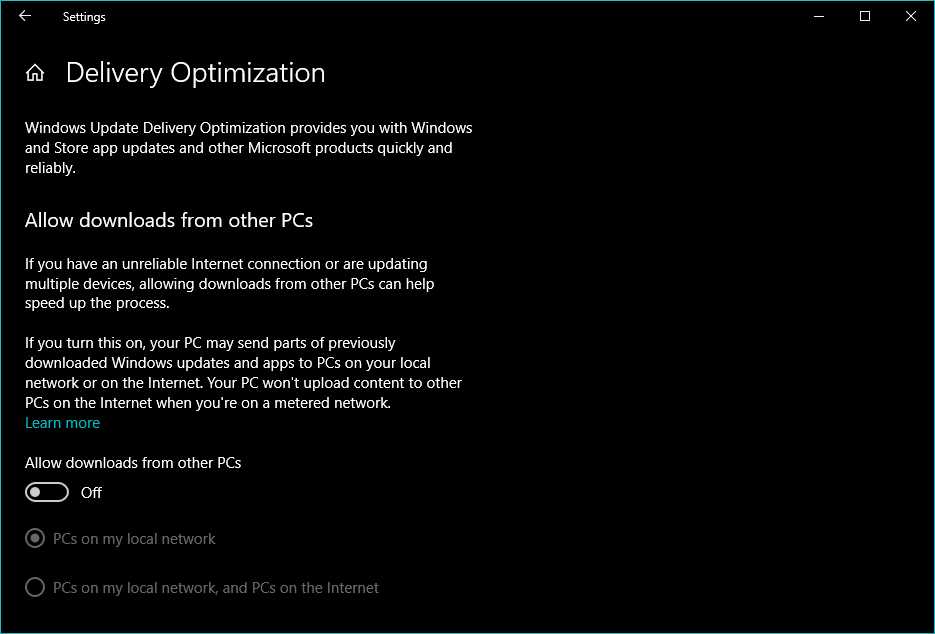
So, to fix the problem, we need to suspend the peer-to-peer updates.
Under the delivery optimization,turn off the radio button Download updates from other PCs.
Is Runtimebroker.exe a virus?

Runtime Broker is not a virus or malware.
By default, the runtimebroker.exe file is located in the System32 folder on the Windows installation drive.
So, whats your opinion on runtime broker?
Share your views in the comment box below.
