In addition to FTP, it supports Amazon S3, SFTP, WebDAV, SCP, and SSH.
One of its main features is the graphical user interface.
It makes the software much easier to use.
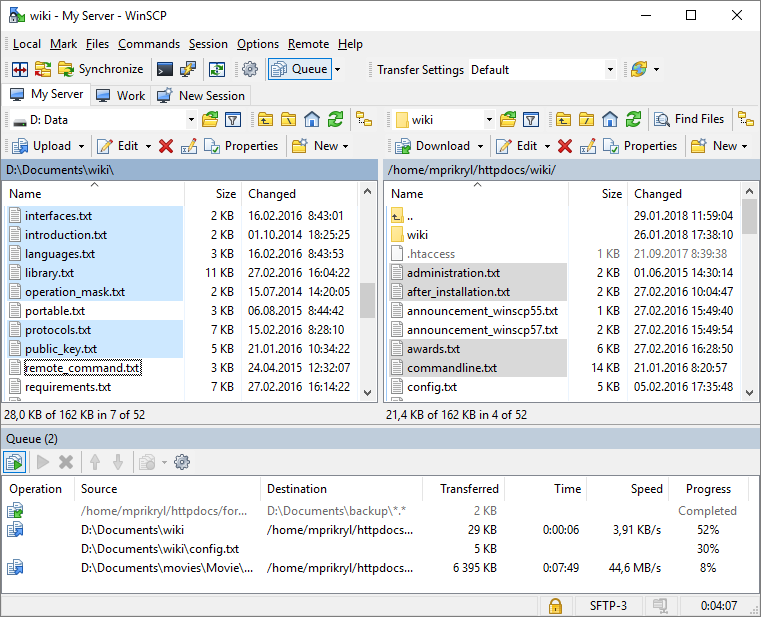
Features and Highlights
WinSCP supports foreground and background file transfers.
Sometimes you may also have to stop the transfer since you suddenly have something urgent to do.
WinSCP supports master password to protect stored passwords from any attempt to decrypt them without authorization.

And when you lose the master password, that means you also lose all the protected passwords.
It is possible to reset WinSCP but it wont bring back the protected passwords.
It is slightly inconvenient when the option is disabled but the trade-off for extra security is well worth it.
WinSCP can be downloaded as a portable software.
The INI file, which contains WinSCP configuration, is stored in the same folder as the executable file.
When you run WinSCP, it will look for the INI file.
If the file does not exist, WinSCP will create a new one that contains the default configuration.
It supports secure file sharing so your files will always be protected during the transfer.
The documentation is detailed enough to help anyone who is interested to use the software.
