Zune Software is yet another Microsoft product.
Users who are interested can still download and install it, though.
Zune Software is used to manage and play your media files.
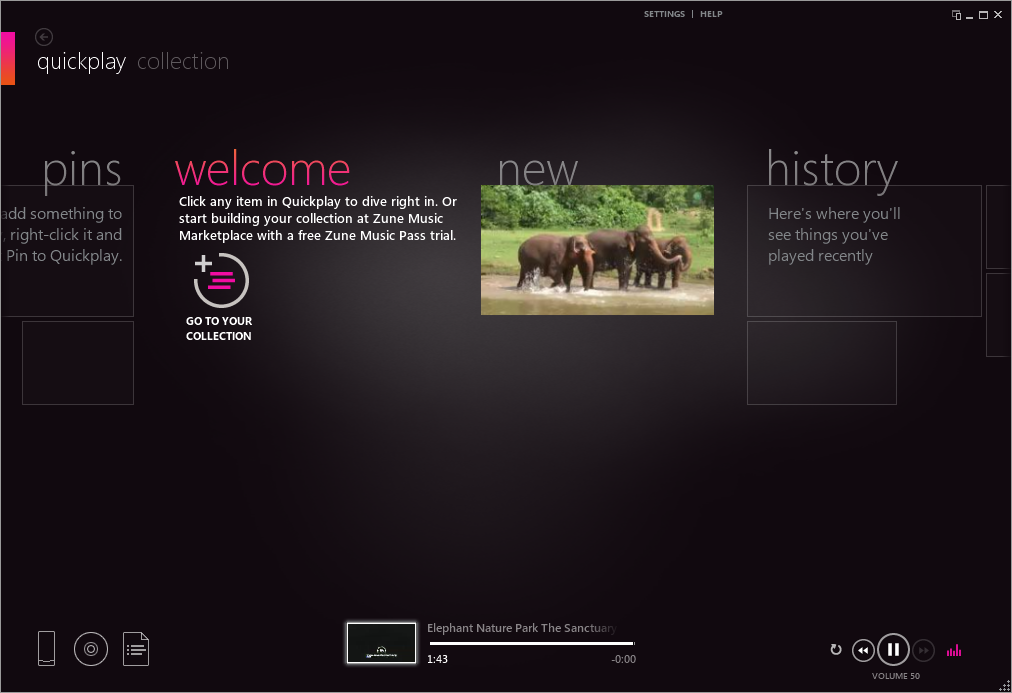
It was developed by Microsoft back then to rival iPod and iTunes.
Features and Highlights
Zune Software requires .NET Framework 3.5 to run.
On some systems, it can be difficult to install this component.

If you dont want to change anything, press the Start button.
If you do, press the controls button on the home screen.
For media files that you want to access quickly, you could pin them.
Zune Software has a history section where it shows media files that you have watched or played recently.
The video player lacks a lot of standard features that popular players commonly have.
No video rotation, screenshot, bookmark, subtitle management, and so on.
However, it has a mini player.
When enabled, the mini player stays on top at the bottom right corner.
The window size can be maximized but it will not stay on top anymore.
The window itself can be moved around.
For example, you’re free to move it to the left of your screen.
Zune Software interface is divided into Quick Play and Collection.
it’s possible for you to switch between the two views in one click.
Quick Play and Collection have different color themes.
Quick Play is presented in a nice dark color, while Collection is presented in a bright white color.
Users whose eyes are sensitive to light might feel uncomfortable when switching between the two views.
Its video player leaves much to be desired, however.
It cannot recognize some file formats too, like MKV.
So if you have MKV videos, their thumbnails will not show up in its library.
